I've been working on Redox OS build system almost daily and porting many large and great software. Looking back if I didn't know these tricks, I wouldn't even imagine how I can pull off compiling so many large software in a short time.
Here's tricks I want to show you
Binary and Native Build by Default
The first thing after I cloned the build system I write this in my .config:
PODMAN_BUILD=0
SCCACHE_BUILD=1
REPO_BINARY=1
ARCH=x86_64
A bit more context on my system: I work daily in Apple Macbook, in a Linux VM where I put 100-200GB storage and 12GB RAM just for Linux VM building Redox OS, so I put ARCH=x86_64 instead of building aarch64. I spun up Pop_OS! ARM so PODMAN_BUILD=0 and SCCACHE_BUILD=1 because Ubuntu native build is pretty much very supported. Podman build to me is a UX downgrade but we'll get to that.
While that is building i'm also set up SSH server so I can launch a terminal session from my iTerm, and set up VSCode remote connection from SSH and install some plugins (Rust analyzer, TOML, Git Blame). My experience of using it so far is flawless, like there's no difference than coding directly on Mac host.
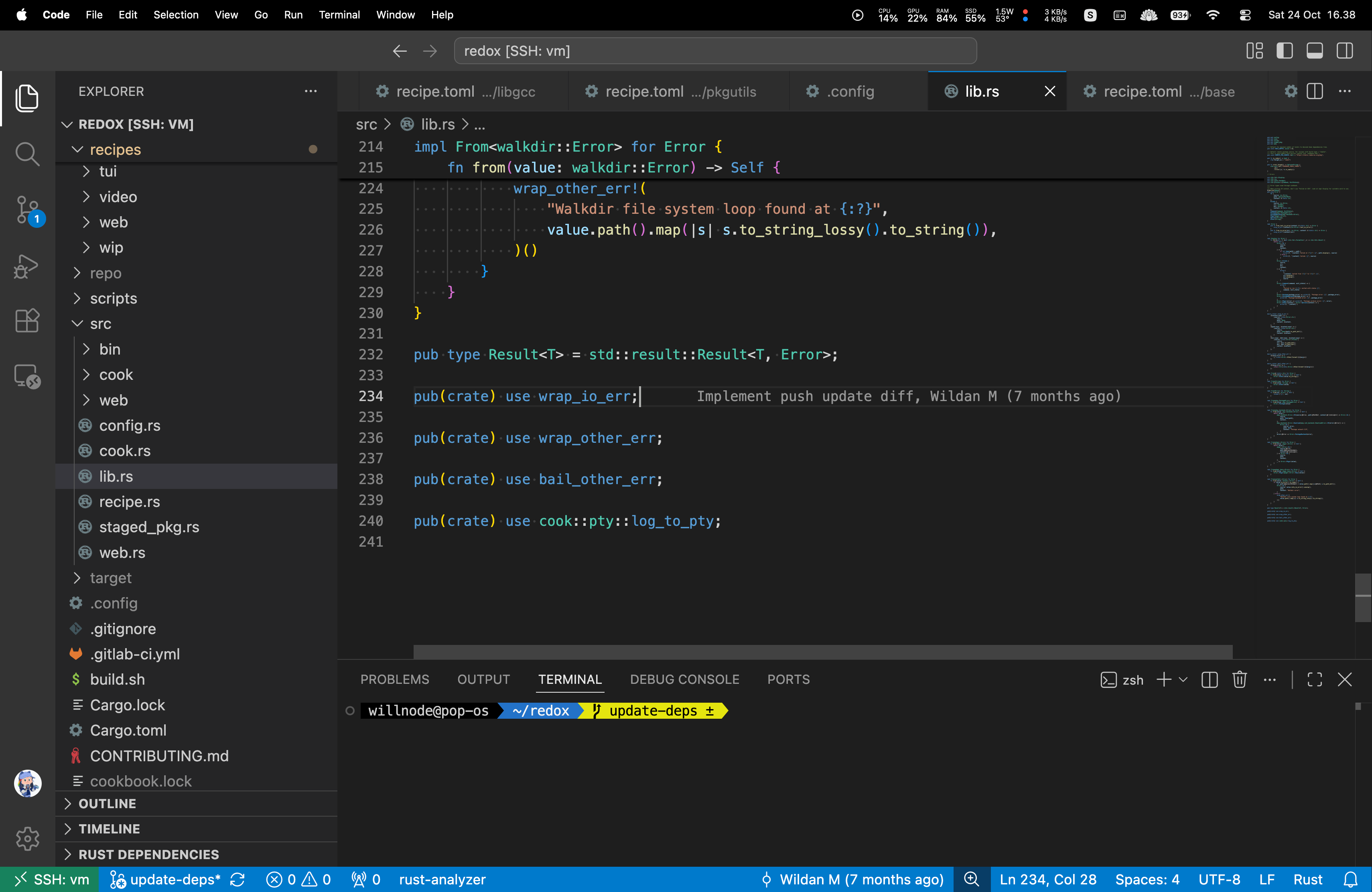
I also installed sccache (very important in native build!), to install just run ./podman/rustinstall.sh after ./native_bootstrap.sh -d . Then I do make for the first build. It should done within 15 minutes that I do REPO_BINARY=1 to download recieps.
Hacking a recipe
Say, I want to improve relibc, the first thing I will do is make lc.relibc rp.relibc, it will download the source and recompile, and then just do make rp.relibc over and over when I want to rebuild and push it to my image.
But one thing before touching code: Rust Analyzer is notoriously bad at RAM usage I slap this config on my vscode host config:
{
  "rust-analyzer.checkOnSave": false,
  "rust-analyzer.linkedProjects": [],
  "files.watcherExclude": {
    "**/.git/**": true,
    "**/source/**": true,
    "**/target/**": true,
  },
}
Then I add "rust-analyzer.cargo.target": "x86_64-unknown-redox", in the VM to let rust analyzer know that i'm targeting Redox for highlights.
When I working on say relibc, I open the source directory, File -> Open Folder, then type ~/redox/recipes/core/relibc/source. This is important to save RAM, I also can switch between projects using File -> Open Recents menu.
Everything else then I code like usual, and then when I almost finish, I always check the remote and switch to my fork and branch for savekeeping:
$ git remote get-url origin
https://gitlab.redox-os.org/redox-os/relibc.git
$ git remote set-url origin https://gitlab.redox-os.org/willnode/relibc.git
$ git branch -m foo-bar
$ git push origin HEAD
When I done with it, I do make cc.relibc to reset the state back to binary download. But that's something I do rarely, because that would make it revert back to upstream version, right?
This is where the next trick is important
Have a build server
Okay not everyone can afford that, but it's important to not get interrupted by building recipes. Compiling and Rust or C++ project definitely will make my CPU hot and I often can't do anything else.
Fortunately, I have a VPS, it's 8 core CPU, 16 GB RAM, 512GB disk. It's exposed to public network and I mainly use SSH to access it. I initialize it the same way as I did in my VM. The .config there currently is like this:
PREFIX_BINARY=0
#REPO_NONSTOP=1
export COOKBOOK_CLEAN_TARGET=true
export COOKBOOK_MAKE_JOBS=4
export COOKBOOK_WEB=true
export COOKBOOK_COMPRESSED=true
export SCCACHE_CACHE_SIZE=25G
export CI=1
It uses Podman build (this is where it shines) because the server is also used by other thing and it's a RHEL derivative, so native build experience is a bit poor.
I put CPU jobs half of available CPU because I don't want to freeze my server, but sometimes I have to make it lower for huge build like WebKit or LLVM.
As I said before, it's exposed to network as static HTTP server, it lives in https://wiiinode.domcloud.dev/ and I put some symlink there
$ ls ~/public_html -lh
-rw-r--r-- favicon.ico
lrwxrwxrwx repo -> ../redox/repo
lrwxrwxrwx web -> ../redox/web
Then I can use the compiled recipes in my local build by writing this in my cookbook.toml
[mirrors]
"ftp.gnu.org/gnu" = "mirrors.ocf.berkeley.edu/gnu"
"static.redox-os.org/pkg" = "wiiinode.domcloud.dev/repo"
Which mean I can offload large build, say rust then i'll just issue make r.rust in termux and move to other thing while it's building. When it done I can just issue make rp.rust in my laptop and it will download the compiled recipe from my VPS.
This way I'm able to put my redox build less than 100 GB on my laptop and it never going hot compiling things anymore. Of course, my VPS have limited disk size which is why export COOKBOOK_CLEAN_TARGET=true is important here, it will cleanup target leaving just enough files for build invalidation. Of course I don't enable that on my local setup so I can inspect stage files doing necessary stuff like looking at header files, readelf, etc.
Hacking so many small crates
Back then when I'm porting servo it had many patches not just in servo itself, and also dozen of crates. Because crates are something out of the recipe itself, I usually just clone it outside the build system, say the libc create:
$ git clone https://github.com/rust-lang/libc
$ cd libc
Because you're outside the build system, how to build and verify it? This is where redoxer shines. Install:
cargo install --git https://gitlab.redox-os.org/redox-os/redoxer
Try to build the rust crate, doing clippy check, and if there's no string attached, run test in qemu:
redoxer build
redoxer clippy
redoxer test
The crate need a native library? No problem:
redoxer pkg openssl3
It will do the magic of passing the necessary pkg-config tricks and link flags for you.
Not even a Rust project? Also no problem:
$ redoxer env bash
willnode@pop-os:~/nspr$ ./configure
.... or alternatively ....
$ CC="redoxer cc" ./configure
It works great for many small projects. But then there's also trick for large project...
Hacking a large project
When patching a large project, say rust compiler, I usually just open VSCode remote directly connected to my VPS, mainly because pulling and pushing git is way easier there. But I usually don't pull it out from the build system. But there's a catch: The build system uses treeless clone where it has git_shallow = true, but this itself is workable and actually can have some benefit.
When I done with my changes, I do
$ git remote get-url origin
https://gitlab.redox-os.org/redox-os/rust.git
$ git remote set-url origin https://gitlab.redox-os.org/willnode/rust.git
$ git branch -m foo-bar
Before I push that, I check if my fork main branch have latest upstream, by clicking Update fork:

It is important do that before pushing so that git server can link your pushed commit in instant without backtracking.
Of course, if I need to fork from entirely different server, I would have to fully clone outside build system, but then this trick also applies for incremental patches, even I have do it sometimes to switch back-and-forth between GitLab and GitHub.
Wrap up
These simple tricks should make your life easier if you decided to improve Redox OS in any part of it. Of course, this is here because the setup is highly opinionated, probably not fit for those who just jump in for small fixes. Otherwise, the book already explain many parts of that.
Comments
Join the discussionNo comments yet. Be the first to comment.
